Prerequisites
Let's set up a CI ---Continuous Integration--- process for an
Elixir project using GitHub Actions.
I'll use the JSON API we built in this tutorial.
It's critical to have working tests on the project, otherwise what's the point of setting CI on it, right?
So, make sure to:
- Have a GitHub account, or create one.
- Have a repository holding your project's code.
- Have tests set up in your project.
CI workflow
Let's create a new workflow that'll run our tests
whenever we push code to main or make a pull request.
Add this to your project's root as .github/workflows/ci.yml:
name: Elixir CI

on:
  push:
    branches: [ main ]
  pull_request:
    branches: [ main ]

jobs:
  test:
    name: Testing
    runs-on: ubuntu-latest

    services:
      db:
        image: postgres
        ports: ['5432:5432']
        env:
          POSTGRES_PASSWORD: postgres
        options: >-
          --health-cmd pg_isready
          --health-interval 10s
          --health-timeout 5s
          --health-retries 5

    steps:
    - uses: actions/checkout@v2

    - name: Set up Elixir
      uses: actions/setup-elixir@v1
      with:
        elixir-version: '1.10.4' # Define the elixir version [required]
        otp-version: '23.0.3' # Define the OTP version [required]

    - name: Restore dependencies cache
      uses: actions/cache@v2
      with:
        path: deps
        key: ${{ runner.os }}-mix-${{ hashFiles('**/mix.lock') }}
        restore-keys: ${{ runner.os }}-mix-

    - name: Output Elixir version
      run: elixir --version

    - name: Output PostgreSQL version
      run: psql --version

    #- name: Output Node.js version
    #  run: node --version

    - name: Install dependencies
      run: mix deps.get

    - name: Run tests
      run: mix test
Make some changes, commit and push to your repository.
Then go and check the Actions tab, there you'll see
the new Elixir CI workflow running!
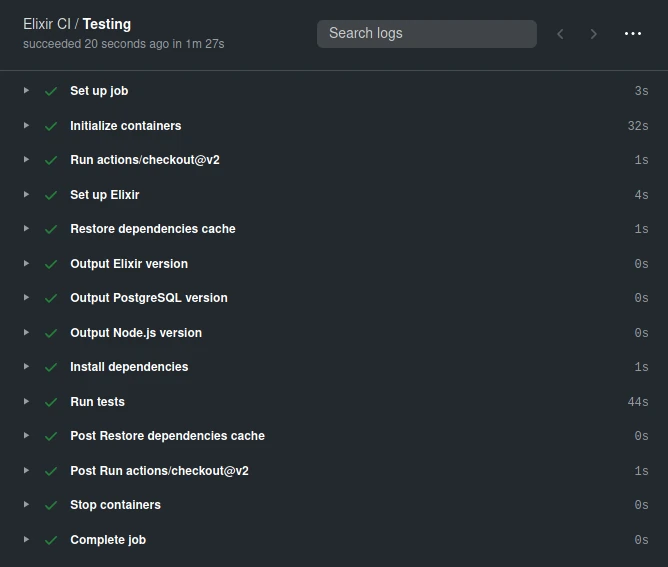
Click on the Testing job item below Elixir CI and see how every step is run in order.
At the end you'll see something like:
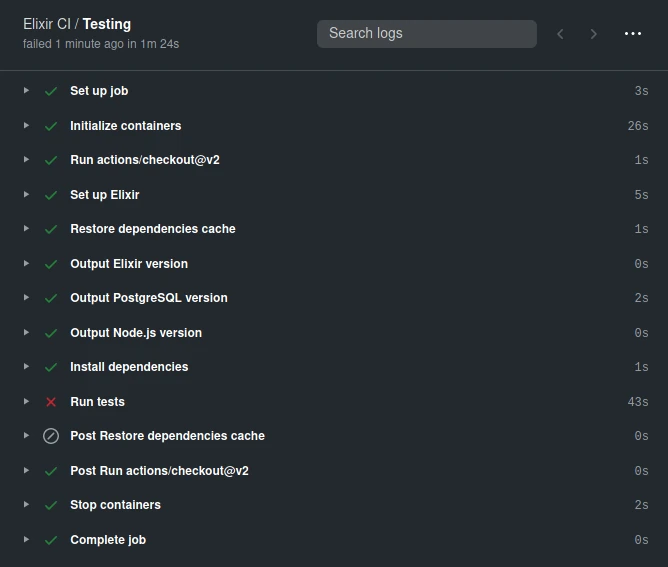
You can experiment and see how the CI fails by making a bad test, then pushing your code:
Workflow status badge
Add a workflow status badge to the README.md to show
publicly the passing ---or failing--- status of our CI.
Example near the top of the file:
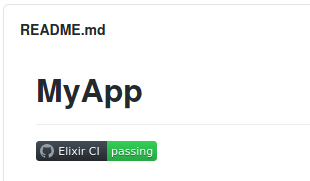
Add it wherever you want.
For my user lobo-tuerto, on my repo my-phoenix-json-api,
for the workflow Elixir CI the badge's URL is:
https://github.com/lobo-tuerto/my-phoenix-json-api/workflows/Elixir%20CI/badge.svgAdd it to your README.md like this:
## MyApp

![Elixir CI][https://github.com/lobo-tuerto/my-phoenix-json-api/workflows/Elixir%20CI/badge.svg]