Rebuilding the place where I write
I have rebuilt this blog more than once.
That is because the web keeps changing, tools keep changing, I keep learning, and I really enjoy working on this as a personal project.
For me, a personal site is a place to record what I care about, what I'm learning, and how I see life at a particular moment.
I wanted this rewrite to reflect the skills I've developed over the past few years in software development, content architecture, and visual design.
So, without further ado, here is a brief technical rundown of how this blog was put together.
A Markdown archive running on Phoenix
The blog is a Phoenix application, but its content does not live in a database or an external CMS. The source is a collection of Markdown files, which makes each post easy to read and edit in a simple text editor.
Each post begins with an Elixir map containing its metadata:
%{
  title: "A personal site is never finished",
  description: "A quick look at the Markdown tooling and design work behind the latest iteration of this blog.",
  tags: ["blog", "markdown", "mdex", "phoenix"],
  draft: false,
  updated: ~D[2026-07-25]
}
Since I'm the only author and the content is trusted, I chose an Elixir map for frontmatter. Dates, datetimes, and booleans retain their native Elixir types, avoiding translation from a separate metadata format such as YAML or TOML.
Turning MDEx into an authoring system
MDEx parses Markdown into a typed document tree.
Here are the extensions I implemented to support the blog:
- Partial expansion
- ASCII emoticon replacement
- Image loading hints and full-resolution links
- Link decoration
- Heading IDs and table of contents generation
- YouTube embeds
- Code block headers for filenames, commands, terminal output, and recognized languages
The order in which these extensions run affects the result. A link inside a partial receives link decoration. A heading introduced by a partial appears in the table of contents.
Partials and embeds
A fenced partial block includes a Markdown fragment from the partials directory. The partial is parsed into document nodes and inserted before the remaining extensions run.
```partial
blog-extension-note
```
YouTube embeds use a similar authoring syntax:
```youtube
LF8OgAuYHmA
title=José Pablo Moncayo, Huapango - Alondra de la Parra & Orchestre de Paris
start=0
controls=hide
caption=Huapango de Moncayo
```
This results in:

A youtube block initially renders YouTube's preview image. Activating it replaces the
preview with an iframe from YouTube's privacy-enhanced youtube-nocookie.com domain,
keeping the full player out of the initial page load. The facade keeps a stable identity
across copy edits so LiveView can leave an active player alone; changing the embed gives
it a new identity and replaces it normally.
Code blocks
Syntax highlighting is provided by Lumis . Fenced code block metadata adds a header that identifies a block's language, source, or role.
A filename helps identify the source:
def attach(%Document{} = document, opts \\ []) do
  document
  |> Markdown.Partials.attach(Keyword.get(opts, :partials, []))
  |> Markdown.Emoticons.attach(Keyword.get(opts, :emoticons, []))
  |> Markdown.Images.attach(Keyword.get(opts, :images, []))
  |> Markdown.Links.attach(Keyword.get(opts, :links, []))
  |> Markdown.Headings.attach(Keyword.get(opts, :headings, []))
  |> Markdown.YouTube.attach(Keyword.get(opts, :youtube, []))
  |> Markdown.CodeBlockChrome.attach(
    Keyword.get(opts, :code_block_chrome, Keyword.get(opts, :code_block_filenames, []))
  )
end
Commands are labeled accordingly:
mix precommitTerminal output is labeled as output:
Finished in 2.5 seconds
256 tests, 0 failures
All of this tooling serves one goal: to improve the writing experience.
Designing the reading experience
The implementation is only half the story. I also want the blog to look good and read well. That requires a focused interface and carefully considered typography.
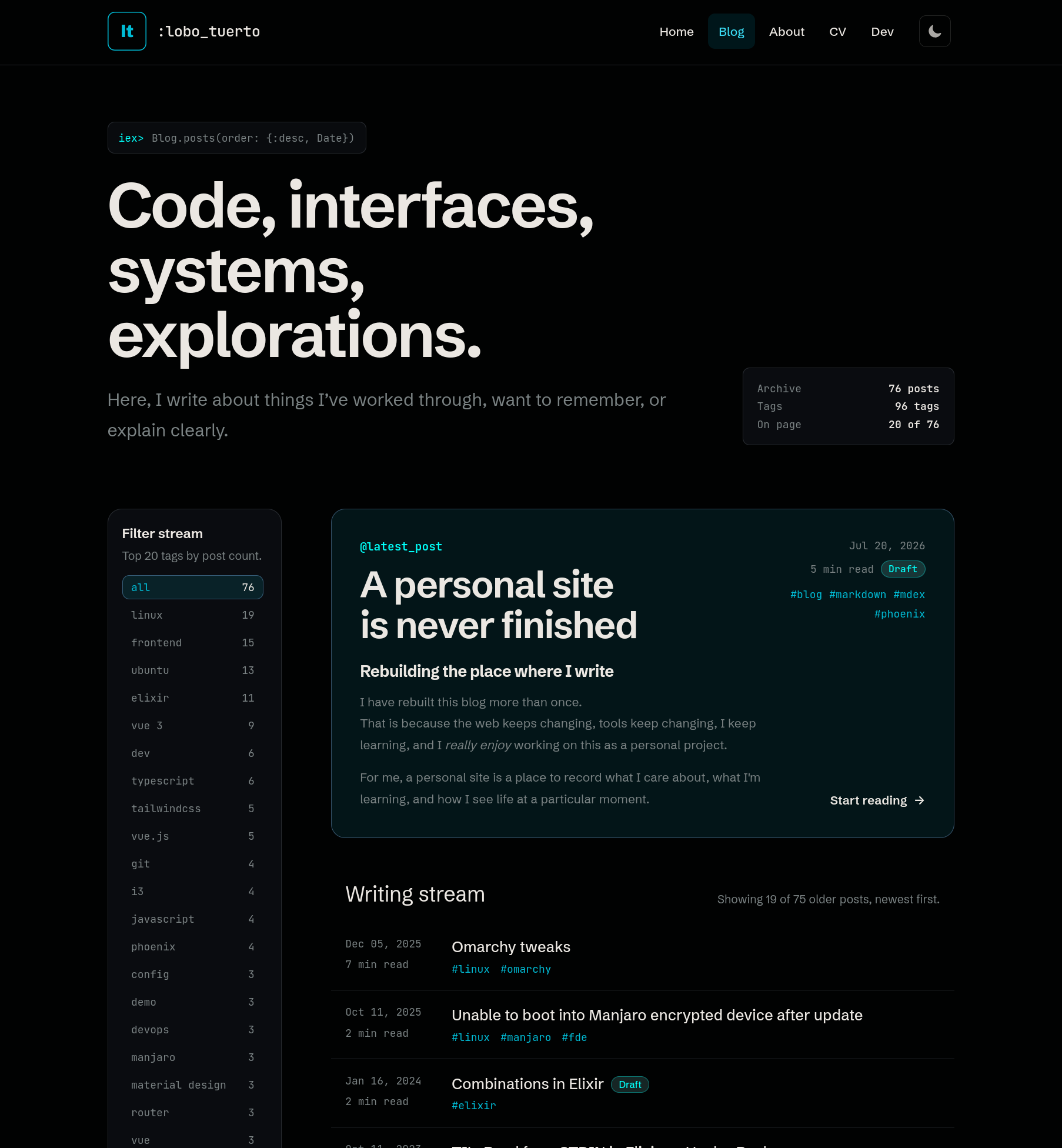
The blog index gives the latest post room to stand out while keeping older posts easy to scan. Tags filter the stream, and the page presents a manageable initial selection before offering the full archive.
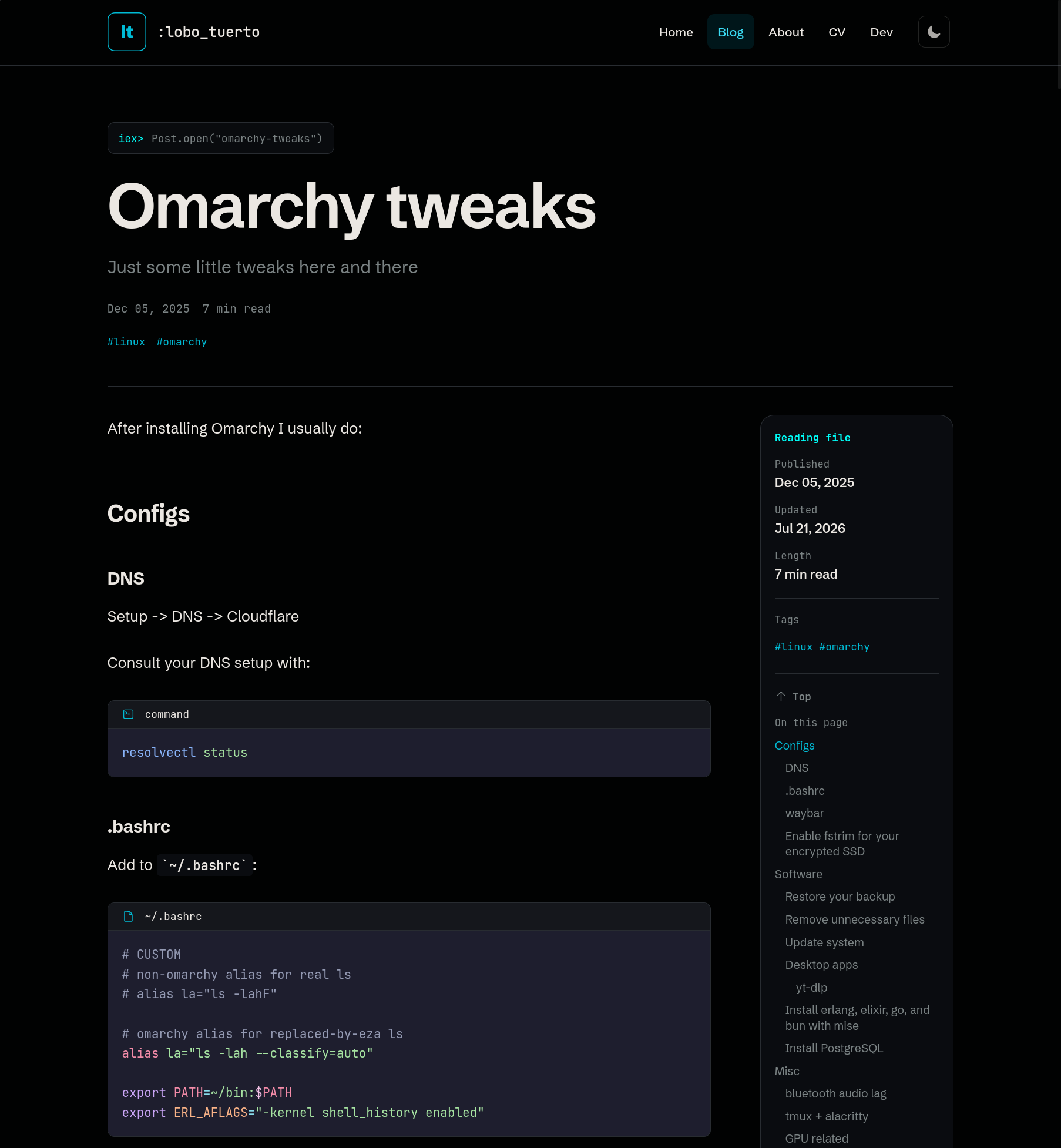
Each post page keeps the article central, while metadata, the table of contents, and links to newer and older posts help readers move through the archive.
Dark and light themes
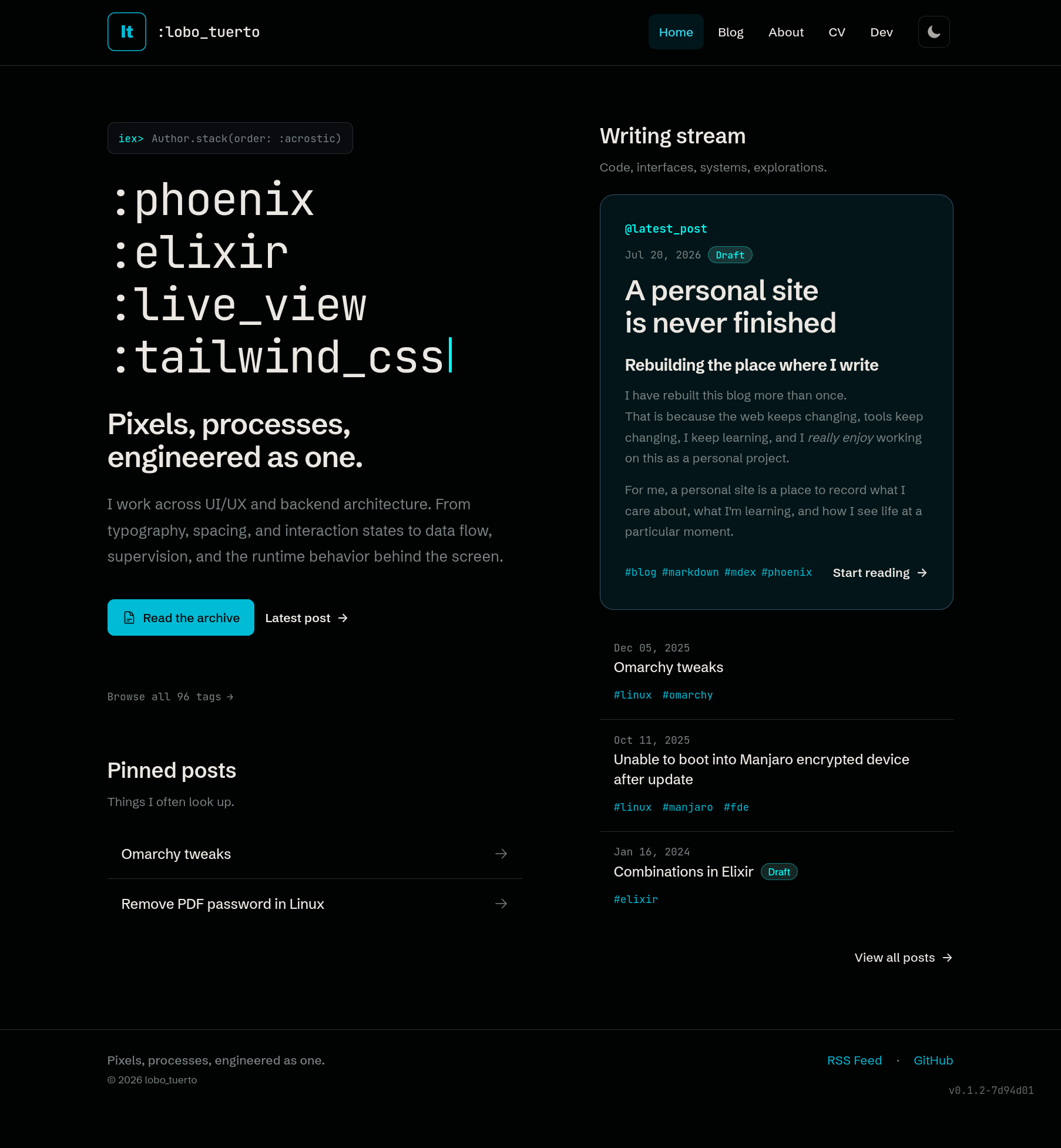
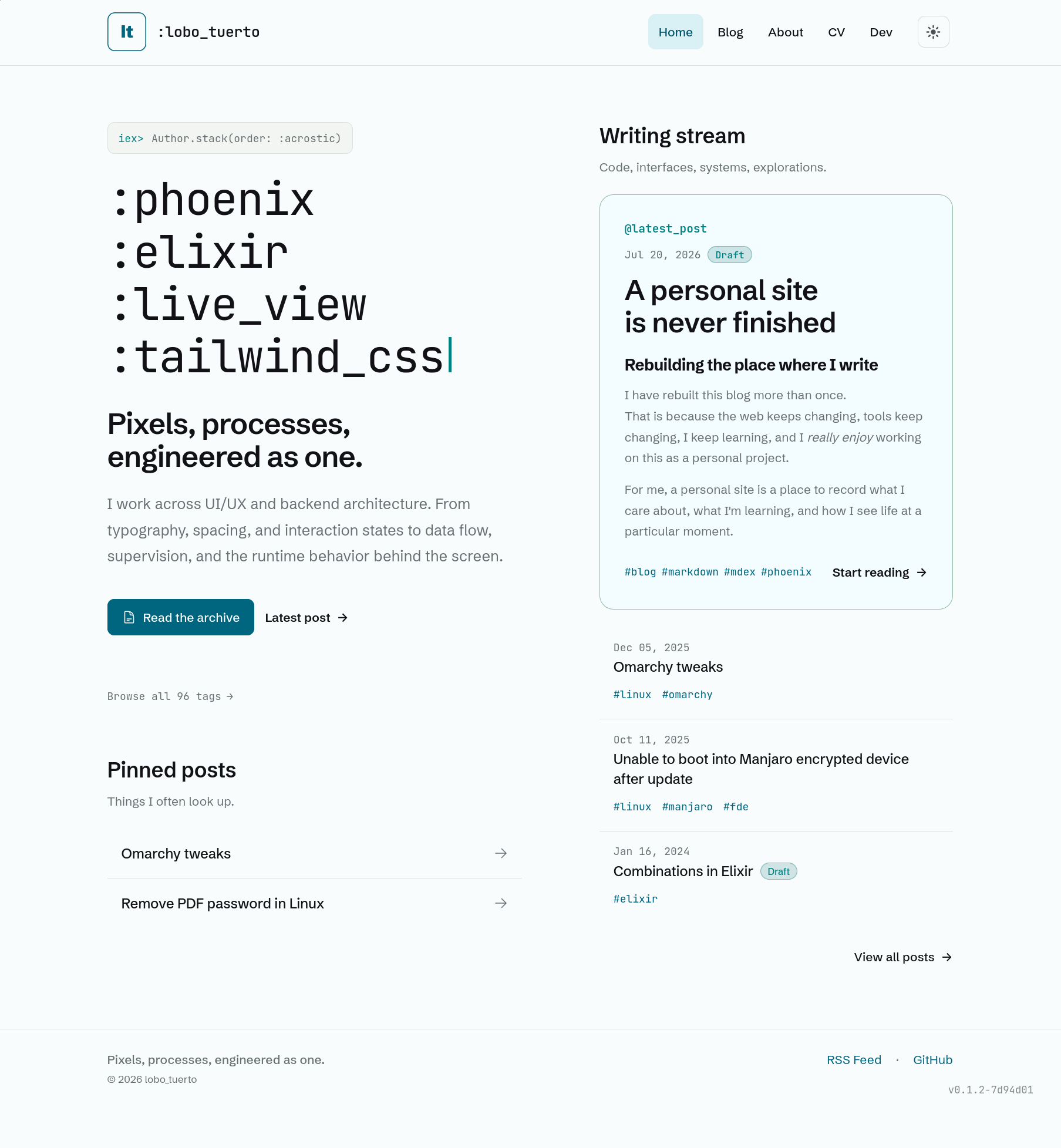
I prefer dark themes, but some people enjoy staring into the sun, so I made the light theme equally polished:
| Dark theme | Light theme |
|---|---|
 |
 |
Before and after
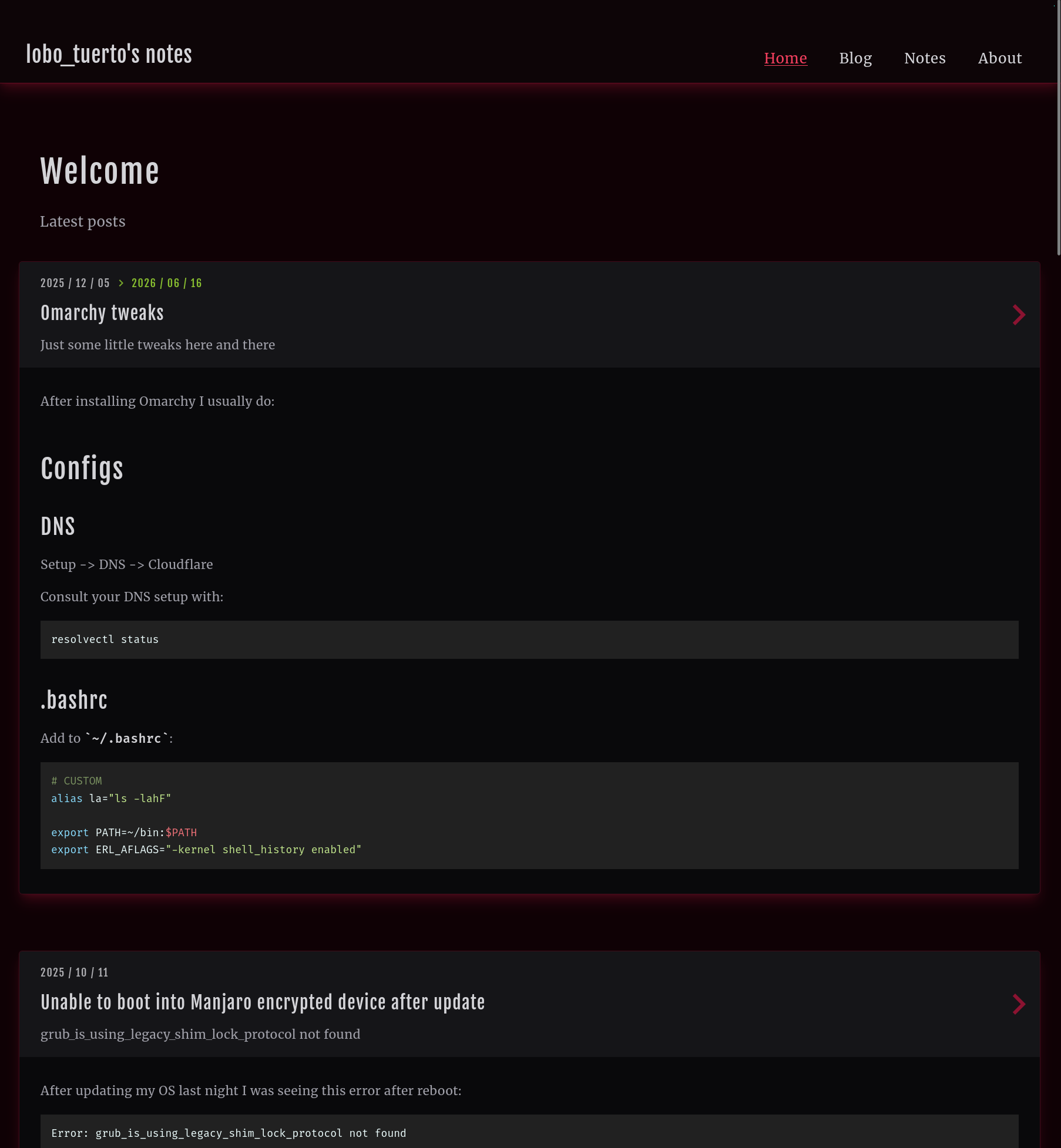
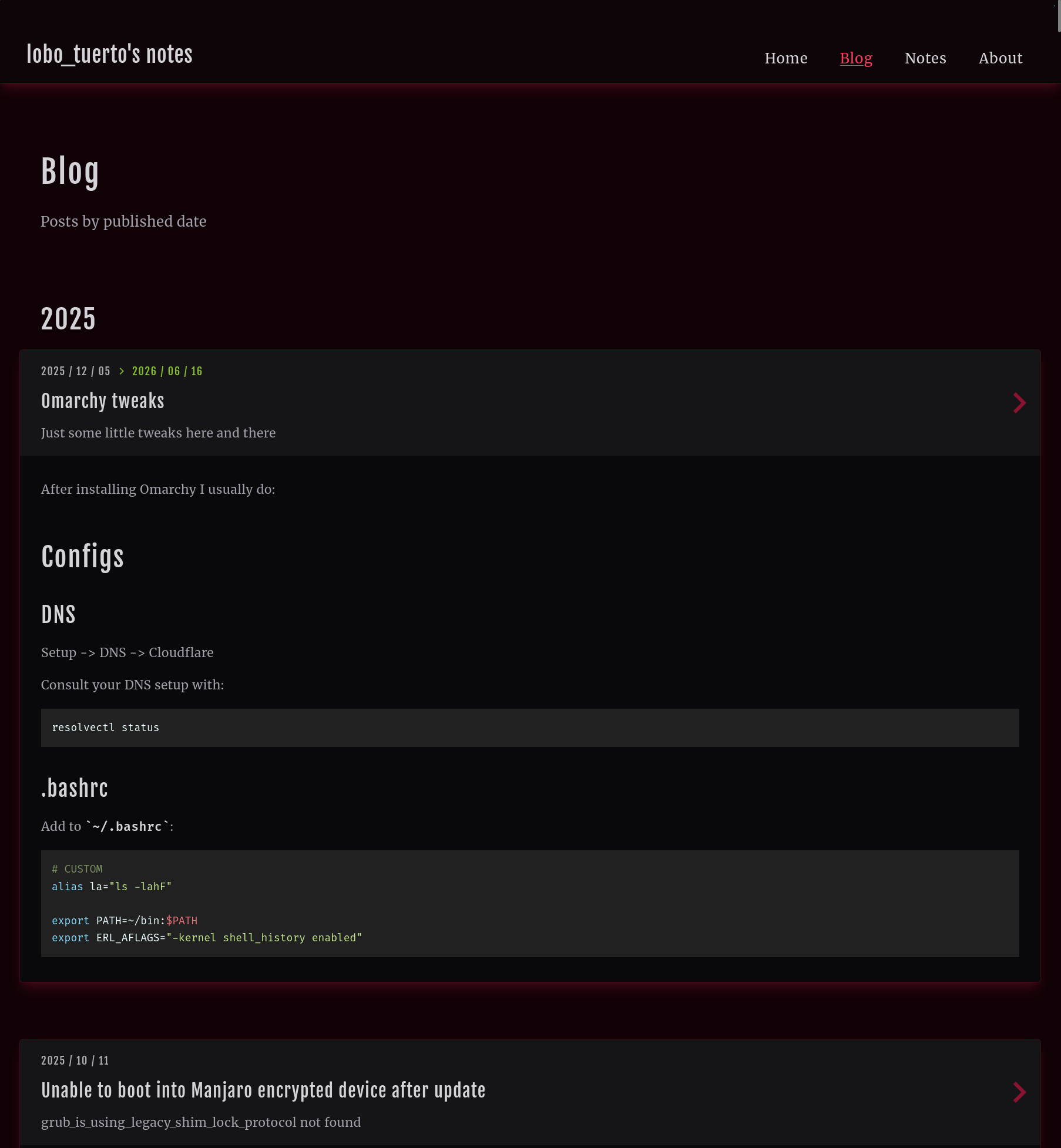
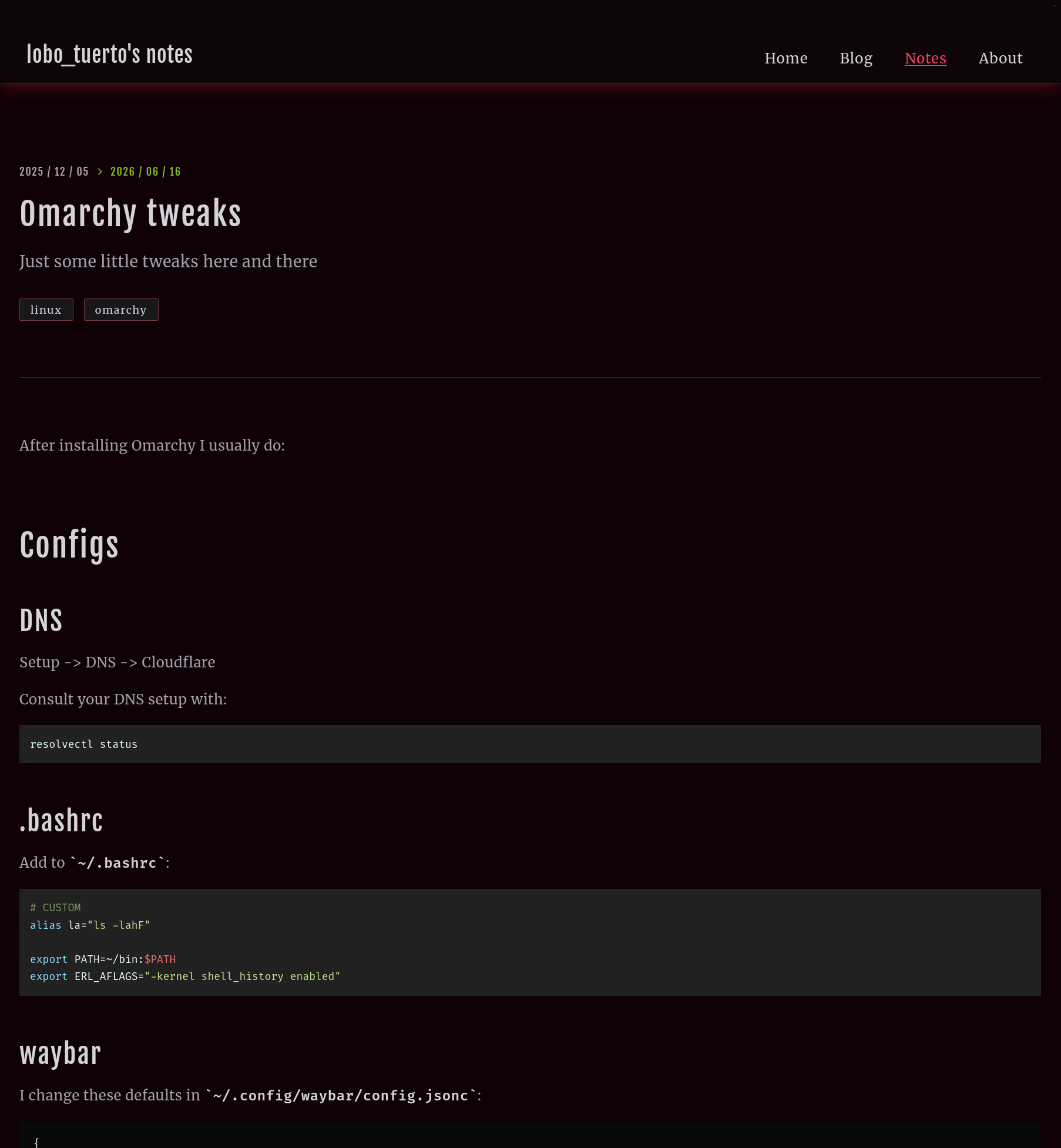
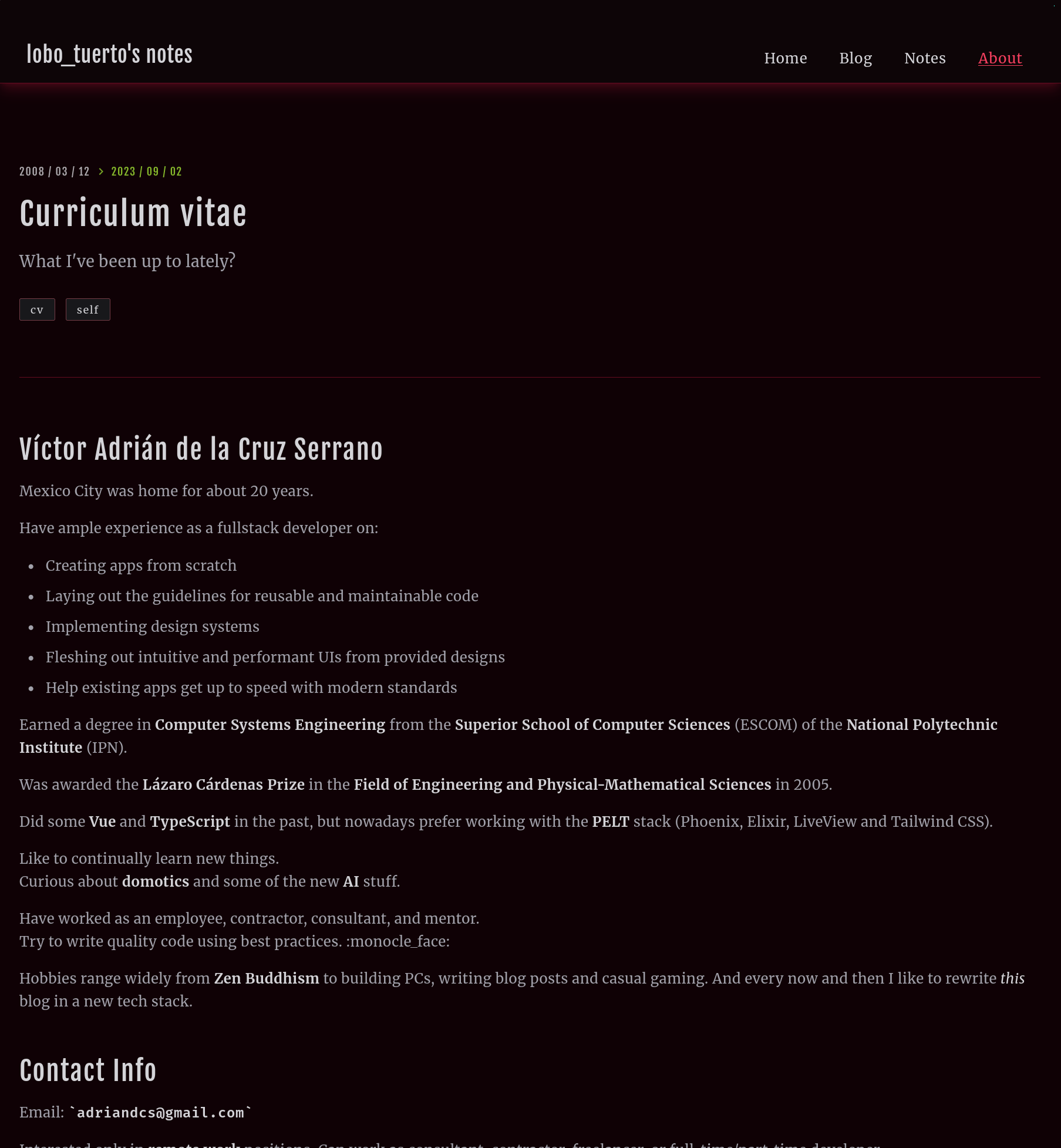
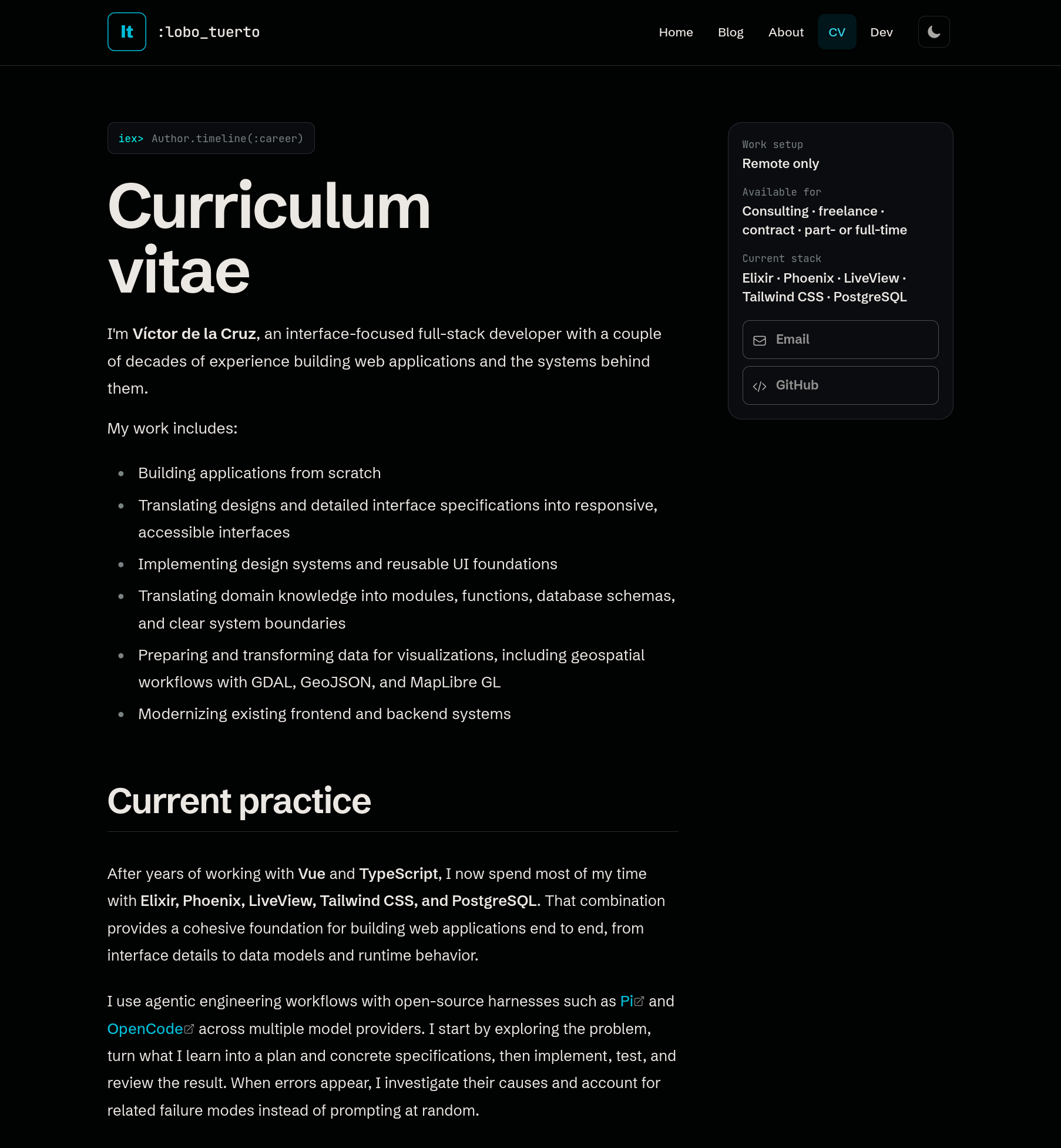
I wrote the previous version to learn enough Elixir and Phoenix to land a job using that stack, and I succeeded. But I didn't put nearly as much effort into its UI/UX, and it showed. Compare that version with this one.
Previous version
| Home | Blog |
|---|---|
 |
 |
| Post | CV |
|---|---|
 |
 |
Current version
| Home | Blog |
|---|---|
|
 |
| Post | CV |
|---|---|
 |
 |
Internal dev tools
I created a /dev area with tools that helped me shape and refine this blog's UI and design system:
- A component sampler for
BlogUiandDevUicomponents, along with rendered Markdown states. - Palette tools for comparing color roles and contrast across themes.
- A type explorer using real page copy and realistic content widths.
- Controls for studying OKLCH values, surfaces, accents, and range behavior.
- A social-preview tool for checking the fixed Open Graph image, emitted metadata, and crop safety across social media platforms.
These tools expose structure and make it easier to compare states.
They are not publicly available, but I may eventually move some of them into a /labs section.
Keeping this blog unfinished
A personal site is never finished because the person behind it is never finished either.
Rebuilding this one has given me a place to practice without needing a client, a deadline, or permission. As a developer, I can try new tools, question old decisions, and take an idea all the way from a rough experiment to production. As a writer, I can shape an environment that makes publishing feel easy and inviting.
The site also gives me a record of how my interests and opinions change. Code and UI will remain important, but there is room here for YouTube videos, recommendations, tried-and-true recipes, life advice, useful links, and short personal notes.
I do not know what the next iteration will look like yet. That is part of the appeal.
The site can keep changing as I do.